Remote access and central smart home functions
Remote access
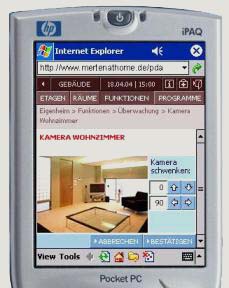
Remote access lets you operate selected functions and read available installation states while away from home. Its scope depends on the devices, permissions and a working connection. Fault notifications cannot be guaranteed in every situation: a loss of internet connectivity or power may prevent delivery.
Secure access and updates
Internet access to KNX requires a protected solution, such as a VPN or a manufacturer-supported remote-access service. Do not expose an unsecured KNX/IP interface directly to the internet. Define individual accounts, permissions and the duration of service access. Keep the current project and a recovery plan before changing the configuration.
Central functions
One command can affect several circuits or rooms. Choose the scope deliberately and check for conflicts with manual operation, alarms and equipment that must remain powered.
- Change the heating mode when leaving, allowing for the building’s thermal response.
- Use a shared schedule for lighting and selected temperature modes.
- Manage peak demand using agreed loads and priorities.
- Trigger an away scene from a confirmed lock or alarm-arming signal.
- Control a lighting group on one floor or in a selected zone.
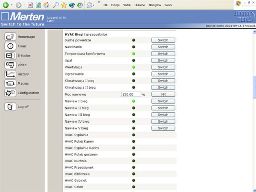
- View lighting states and operate them from an authorised workstation.
- Integrate access control where suitable status signals are available.
- Switch off selected lights and set blinds with one button.
- Check windows and doors using the installed contact sensors.
- Create a rest scene with curtains closed and selected notifications muted.
- Create a wake-up scene with curtains opening and temperature information.
- Use motion and window signals for automation without compromising alarm functions.
Sources and further reading
KNX Association — remote-access security
Content updated: 8 September 2026.
What should you read next?
How to make your home intelligent? — understand the functions before choosing an installation.
How to choose KNX equipment? — match devices to your project’s requirements.